What Portline is
A control tower for ports, 3PLs and shippers. Every shipment, container, truck and dock door on one screen.
Operations teams at ports, 3PLs and shippers usually find out a shipment is late by checking four places: the TMS, the WMS, a carrier's email and the whiteboard by the dock office. Portline puts all of it on one screen so a delay shows up while there's still time to do something about it.
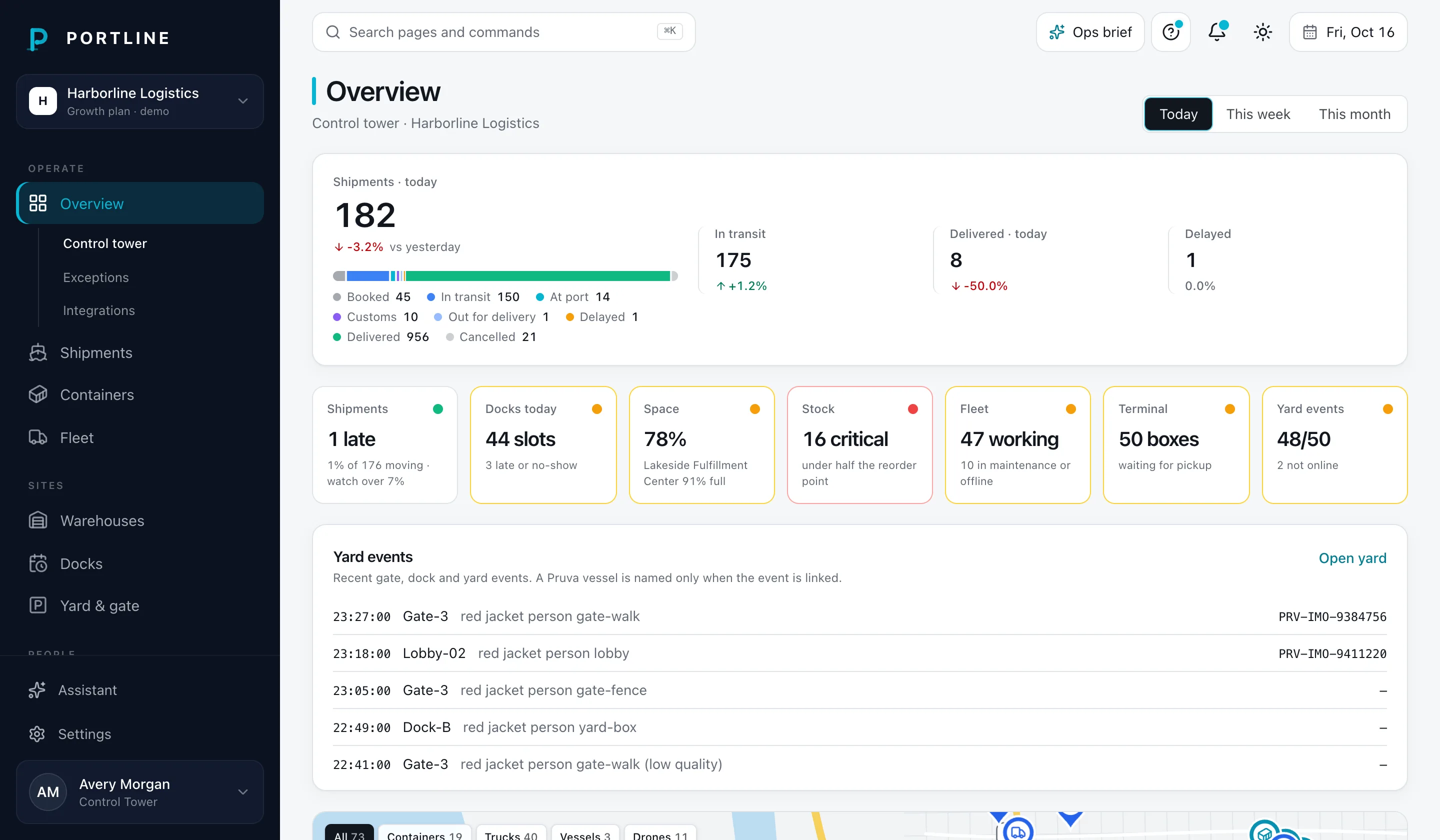
It's built around five jobs:
- Watch the network. A live map of containers, trucks, vessels and drones, fleet counts, throughput over time, and the shipments that need attention.
- Follow one shipment. Route checkpoints from origin port to warehouse, latest updates, reefer temperature against its set point, the document checklist and the assigned driver.
- Balance the warehouses. Capacity per site, stock by zone, the inbound and outbound dock schedule, and low-stock alerts with reorder points.
- Run the docks. A tablet-friendly timeline of truck appointments per dock door, with driver check-in and check-out, so trucks don't queue at the gate.
- Talk to the field. Message threads per shipment or driver, and a team page that sets who can do what.
Drivers aren't users. They show up as records (name, phone, truck, check-in times) and receive messages. There's no driver app in this build.
Who uses it
| Person | Role | What they need |
|---|---|---|
| Control tower lead | Owner | One live picture, exceptions first, numbers to report upward |
| Operations manager | Admin | Warehouse capacity and dock throughput across sites; approves documents |
| Dispatchers | Dispatcher | Plan truck arrivals per door, check drivers in and out, message drivers |
| Customer service, finance | Viewer | Answer "where is my container?" without asking a dispatcher |
The areas
Two ways to run it
Demo mode starts the app with a generated workspace, no sign-in and no outside requests. Local mode runs the same app against a local Supabase database with row-level security and seeded users. Both are covered under Get started.
Install
Node, pnpm and one install command.
Demo mode
pnpm demo, then open localhost:4100.
Local mode
Postgres, Auth and RLS on your machine.
Roles
Owner, admin, dispatcher, viewer.
Not launched
Portline is a private build. Carrier, vessel, telematics and sensor connections are mocked, and there's no checkout. See Connections.